
Happinizer Free1.6 - Google Play
You'll be able to see results in few seconds.
Publisher Description
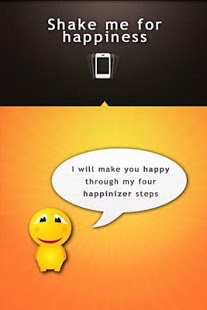
Development of this application is discontinued and continued as the Happiness booster. You can still use Happinizer but we are strongly recommending to find Happiness booster in the market and enjoy new updates, new images and improvements.
Happinizer is simple cool application that will switch your emotions and make you happy.
"So Cute!!! Pictures so cute~u have 2 smile!!!! - Victoria
"Happy days Makes me smile :-D" - B
"Really helps when I need a smile!" - Kat
"Its really cute Give it a try it made me smile :)" - Saba
So if you wonder what will make me happy, or what will change my emotions? Happinizer is the answer.
Happinizer is using human psychology to switch you emotions and to make you feel happy. The process of making you happy is made out of four stages that contain carefully selected pictures and sentences. Every stage has its purpose and by going through these stages at a specific order you will start changing you mood and feeling happy and cheerful.
The four Happinizer steps:
[Stage 1] Changing perception
This step is using philosophical sentences and pictures that will make you start questioning your current state of emotions. This stage is laying foundation for changing your mood to happy
[Stage 2] Boosting mood
Here you will see funny images and sentences that will make you smile.
[Stage 3 ] Embedding smile
Will try to force you to make physical smile. Even if you make a fake smile and hold it for 3 seconds your brain will start making neuropeptides that are responsible for that happy feelings.
[Stage 4] Initializing happiness
Is using sort of auto suggestion that will confirm happy felling that is brought to you by previous two steps, and will open your mind for current happy emotion.
Every stage contains different images and sentences that are made especially for that stage. Pictures and sentences are displayed in random order and every time you start the Happinizer different scene will be played.
There are more then 20 different sentences and 20 different pictures that are carefully designed for you to start feeling happy.
About Happinizer Free
The company that develops Happinizer Free is Meevolti studio. The latest version released by its developer is 1.6.
To install Happinizer Free on your Android device, just click the green Continue To App button above to start the installation process. The app is listed on our website since 2012-02-19 and was downloaded 0 times. We have already checked if the download link is safe, however for your own protection we recommend that you scan the downloaded app with your antivirus. Your antivirus may detect the Happinizer Free as malware as malware if the download link to meevolti.happinizer is broken.
How to install Happinizer Free on your Android device:
- Click on the Continue To App button on our website. This will redirect you to Google Play.
- Once the Happinizer Free is shown in the Google Play listing of your Android device, you can start its download and installation. Tap on the Install button located below the search bar and to the right of the app icon.
- A pop-up window with the permissions required by Happinizer Free will be shown. Click on Accept to continue the process.
- Happinizer Free will be downloaded onto your device, displaying a progress. Once the download completes, the installation will start and you'll get a notification after the installation is finished.
Program Details
System requirements
Download information
Pricing
Version History
version 1.6
posted on 2012-02-19
Several fixes and updates
version 1.6
posted on 2012-02-19
Disclaimer
Official Google Play Link
We do not host Happinizer Free on our servers. We did not scan it for viruses, adware, spyware or other type of malware. This app is hosted by Google and passed their terms and conditions to be listed there. We recommend caution when installing it.
The Google Play link for Happinizer Free is provided to you by apps112.com without any warranties, representations or guarantees of any kind, so access it at your own risk.
If you have questions regarding this particular app contact the publisher directly. For questions about the functionalities of apps112.com contact us.
